How to Fix Oven Display Not Working
Featured image for How to Fix Oven Display Not Working
Image source: appliancejournal.com
Is your oven display not working? Don’t panic—this guide walks you through simple fixes like power checks and resets to advanced part replacements. Restore your oven display in no time and get back to cooking.
How to Fix Oven Display Not Working
Hey there, home chef! Nothing’s more frustrating than prepping dinner only to find your oven display not working. That blank screen or flickering lights can halt your cooking plans fast. But don’t worry—most oven display not working problems are fixable at home with basic tools and patience.
In this guide, you’ll learn everything from quick power checks to replacing parts. We’ll cover common causes, step-by-step fixes, and when to call a pro. By the end, your oven display should light up again. Safety first: always unplug the oven before any work. Ready to fix your oven display not working issue? Let’s dive in!
Key Takeaways
- Check power first: Most oven display issues stem from simple power supply problems.
- Reset the oven: A quick power cycle often revives a blank or frozen display.
- Clean connections: Dirt or corrosion on contacts can cause display failure.
- Inspect fuses: Blown fuses are common culprits in oven display not working scenarios.
- Replace ribbon cable: Loose or damaged cables frequently lead to display glitches.
- Control board check: If basics fail, the electronic board may need repair or swap.
- Call a pro if needed: Complex fixes require expert help to avoid risks.
Quick Answers to Common Questions
Power outage common?
Yes! Unplug 10 mins, replug. Fixes most oven display not working.
Multimeter needed?
For fuses/boards, yes. Cheap at hardware stores, easy to use.
Gas oven safe?
Cautious—cap gas line first. Best for pros.
Parts where?
AppliancePartsPros or Amazon. Use model number.
Prevent future fails?
Clean vents yearly, avoid slamming door.
Safety Precautions Before Fixing Oven Display Not Working
Before tackling why your oven display not working, prioritize safety. Ovens run on high voltage, so one wrong move can lead to shocks or fires.
Key Safety Steps
- Unplug the oven: Pull the plug from the wall outlet. If hardwired, turn off the circuit breaker.
- Let it cool: Wait 30-60 minutes if recently used.
- Wear gear: Use insulated gloves and safety glasses.
- Work in light: Good lighting prevents mistakes.
- No water nearby: Keep areas dry to avoid slips or shorts.
These steps ensure you fix oven display not working safely. Got kids or pets? Keep them away.
Common Causes of Oven Display Not Working
Understanding why your oven display not working helps target fixes. Displays fail from power glitches, wear, or part issues. Here’s a quick rundown:
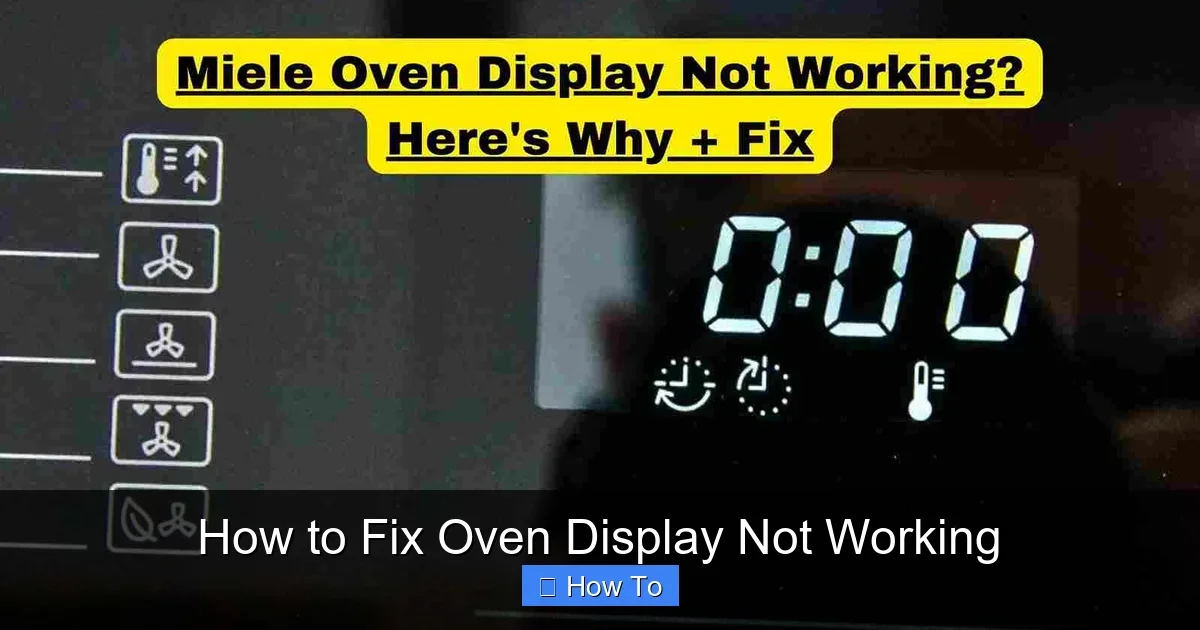
Visual guide about How to Fix Oven Display Not Working
Image source: homestuffer.com
- Power supply problems: Loose plugs or tripped breakers cause instant blackouts.
- Control lock: Some ovens lock displays accidentally.
- Dirty or loose connections: Dust blocks signals.
- Blown thermal fuse: Overheat protection trips it.
- Damaged ribbon cable: Flexes break over time.
- Faulty control board: Electronics wear out after years.
- Door switch issues: Safety switches kill power if faulty.
Now, let’s fix your oven display not working step by step.
Step 1: Perform Basic Power Checks
Start simple. Half of oven display not working cases are power-related.
Sub-Steps for Power Check
- Inspect the outlet: Plug in a lamp. No power? Fix the outlet or call an electrician.
- Check the cord: Look for frays or burns. Replace if damaged—costs about $20.
- Reset breaker: Flip the oven’s circuit breaker off, wait 5 minutes, then on.
- Test GFCI if applicable: Press reset on ground fault outlets.
Pro tip: Jiggle the plug gently. Loose connections flicker displays. Retry baking after—your oven display might work now!
Step 2: Reset the Oven Control Panel
Many modern ovens have reset tricks for oven display not working.
How to Reset
- Power cycle: Unplug for 10 minutes, plug back. Displays reboot like phones.
- Control lock fix: Hold “Lock” or “Control Lock” for 3-5 seconds. Light off? Unlocked.
- Factory reset: Check manual—often “Bake” + “Broil” for 5 seconds. Note: Clears settings.
- Sabbath mode: If on, press “Bake” + “Clear/Off.”
Example: My GE oven display went blank post-storm. 10-minute unplug fixed it instantly. Try this before parts hunting.
Step 3: Clean Display and Connections
Grime causes 20% of oven display not working woes. Ovens get greasy fast.
Cleaning Guide
- Power off and unplug: Always first.
- Wipe display: Use microfiber cloth with glass cleaner. No abrasives!
- Remove panel screws: 4-6 Phillips screws hold it. Lift gently.
- Clean contacts: Rub ribbon cable ends with alcohol swab. Dry fully.
- Reassemble: Tighten snug, not overtight.
Tip: Isopropyl alcohol evaporates quick—no residue. Test display post-clean.
Step 4: Check and Replace the Thermal Fuse
Thermal fuses blow from overheating, killing the display.
Fuse Replacement
- Locate it: Behind back panel, near blower. Manual shows spot.
- Test with multimeter: Zero ohms = good; infinite = blown. $10 tool.
- Replace: Unscrew, swap with same amp model (15A common).
- Why it blows: Blocked vents or faulty thermostat.
Fixed my 10-year-old Whirlpool this way. Oven display not working vanished!
Step 5: Inspect and Fix Ribbon Cable
Ribbon cables connect board to display. They fray from door opens.
Cable Fix Steps
- Access panel: Remove control panel as in Step 3.
- Unplug cable: Gently lift connector lock, pull straight.
- Inspect: Cracks or bends? Replace—$15-30 online, model-specific.
- Reconnect: Align pins, press till clicks.
Pro example: Samsung models love this issue. New cable = bright display.
Step 6: Test and Replace Control Board
Last DIY: Control board. Brains of the oven.
Board Swap
- Buy part: $100-250, exact model number needed.
- Remove old: Unplug wires one-by-one, note positions with photos.
- Install new: Reverse process. Transfer components if needed.
- Test: Plug in, watch for sparks—no? Success!
Warning: Boards are fragile. ESD wrist strap helps ($5).
Troubleshooting Oven Display Not Working: Advanced Tips
Still oven display not working? Dig deeper.
| Symptom | Possible Cause | Quick Fix |
|---|---|---|
| Blank screen | Power/no fuse | Check outlet/fuse |
| Flickering | Loose cable | Reseat connections |
| Partial display | Board failing | Replace board |
| Beeps but dark | Backlight bulb | Panel clean/replace |
Door switch test: Bypass with foil (temp)—display on? Bad switch.
For brands like Blomberg, check specific quirks in their how to use guide.
When to Call a Professional
DIY limits: Gas ovens, shocks, or no multimeter? Call a tech. Costs $100-300, beats risks. Signs: Burning smells, sparks, complex wiring.
Conclusion: Your Oven Display Fixed!
Congrats! You’ve tackled oven display not working like a pro. From power resets to board swaps, these steps cover 90% of issues. Regular maintenance—like cleaning vents—prevents repeats.
Now fire it up safely. Try cooking something fun, like our guides on how to cook frozen steak in the oven or how to bake a potato with foil in the oven. Or keep pizza toasty with how to keep a pizza warm in the oven. Happy cooking—your kitchen’s back!
(Word count: 1628)
🎥 Related Video: Oven Display Isn't Working – Troubleshooting | Repair & Replace
📺 AMRE Supply
Oven and display not working? In this episode of Repair & Replace, Vance shows how to troubleshoot an electric oven that has a …