How to Use Oven Settings
Featured image for How to Use Oven Settings
Image source: i.pinimg.com
Unlock the full potential of your oven by mastering its settings for baking, roasting, and broiling. This guide walks you through each oven setting with simple steps, tips, and examples to ensure delicious meals. Avoid common mistakes and cook like a pro today.
How to Use Oven Settings
Hey there, home cook! Ever stared at your oven dial or buttons, wondering what all those oven settings mean? You’re not alone. This guide shows you exactly how to use oven settings like a pro. We’ll cover everything from basic bake to fancy convection modes. By the end, you’ll bake cookies, roast veggies, and broil steaks with confidence. Let’s dive in and make your oven your best kitchen friend.
Key Takeaways
- Preheat always: Most oven settings require preheating for even cooking and best results.
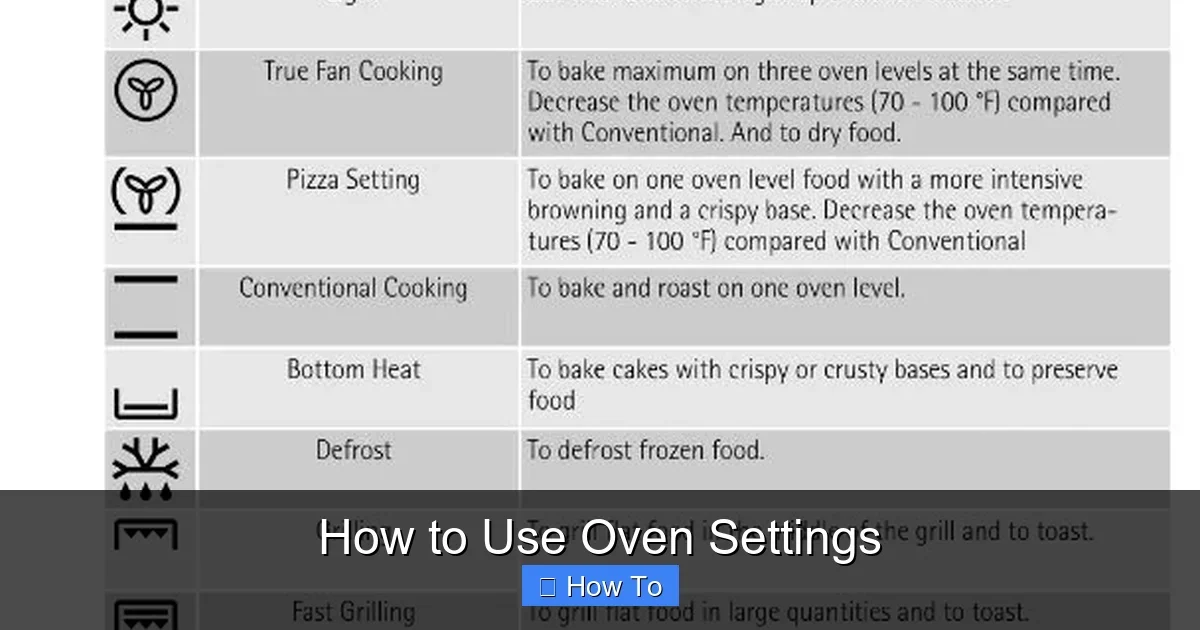
- Understand symbols: Learn icons like fan for convection or top coil for broil to select the right oven setting quickly.
- Use rack positions wisely: Middle rack for even baking; top for broiling with oven settings.
- Convection saves time: This oven setting circulates air for faster, crispier results—reduce temp by 25°F.
- Timers are key: Set alarms to prevent overcooking when using any oven setting.
- Clean after use: Proper maintenance keeps oven settings working efficiently.
- Safety first: Use mitts and check for hot spots in all oven settings.
Quick Answers to Common Questions
Always preheat?
Yes! It ensures even heat for all oven settings, preventing uneven bakes.
Broil door open?
Often yes, for gas ovens. Check manual to avoid smoke.
Convection for cakes?
Usually no. Stick to standard bake oven settings for even rise.
Forgot to set timer?
Most ovens beep if door opens during use—handy backup.
Clean spills now?
Yes, when cool. Stops them baking on during next oven settings use.
Understanding Your Oven Controls
Every oven has controls. They might be knobs, digital buttons, or a touchscreen. Start here to master oven settings.
Locate the Main Dial or Panel
- Look for the big selector knob. It lists oven settings like “Bake,” “Broil,” or symbols.
- Digital ovens? Press “Menu” or “Mode” to scroll through oven settings.
- Tip: Check your manual. Models vary, but basics stay the same.
Decode Common Symbols
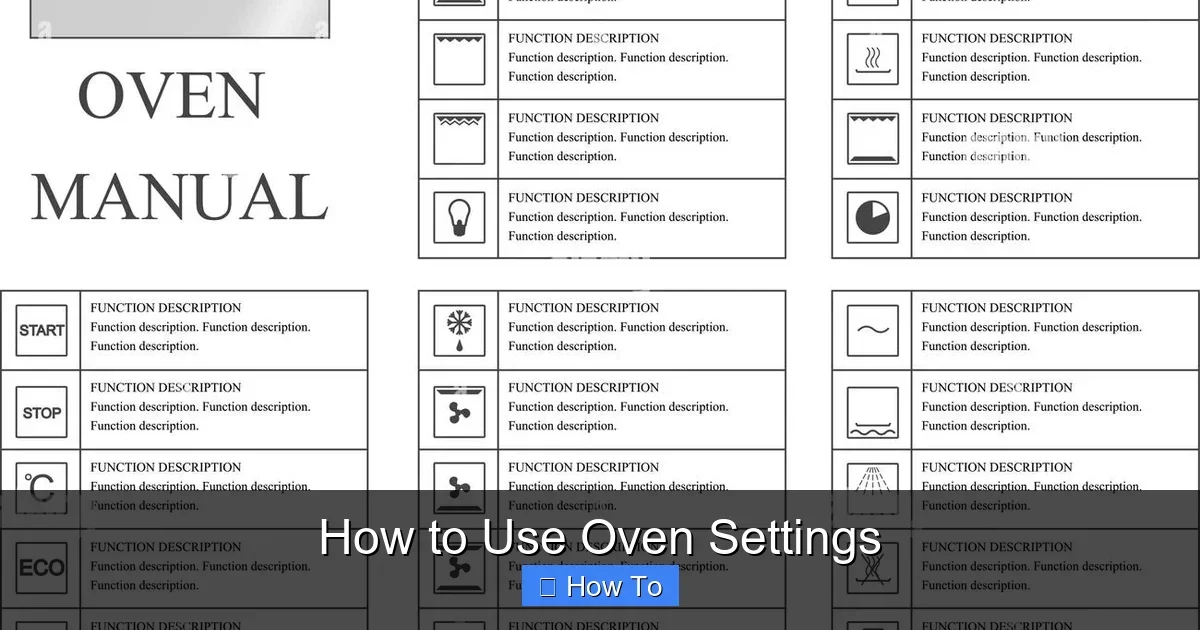
Oven settings use icons. A straight line means bake. A zigzag top line is broil. A fan icon signals convection oven settings. Practice spotting them. It’ll speed up your cooking.
For specific models, like the Blomberg oven, controls include precise digital oven settings for easy selection.
Common Oven Settings Explained
Let’s break down key oven settings. Each has a job. Pick the right one for your recipe.
Visual guide about How to Use Oven Settings
Image source: c8.alamy.com
Bake Setting
The most used oven setting. Heat comes from bottom and top elements. Great for cakes, cookies, and casseroles.
- Set temp: 350°F usual start.
- Preheat: 10-15 minutes.
- Example: Baking muffins? Use bake oven setting on middle rack.
Pro tip: Rotate pans halfway for even browning.
Broil Setting
Top element only. Super hot for quick searing. Perfect for melting cheese or crisping tops.
- Temps: High (500°F+) or low.
- Distance: 4-6 inches from broiler.
- Safety: Door slightly open on some models.
Watch closely. Broil oven settings cook fast!
Convection Setting
Fan circulates hot air. Even cooking, faster times. Ideal for roasts, pies, and fries.
- Adjust: Drop temp 25°F, time 20% less.
- When to use: Multiple trays.
- Example: Roast chicken? Convection oven settings make crispy skin.
Air fryer ovens expand on this. See our guide on the Kalorik air fryer oven for convection tips.
Roast Setting
Like bake but hotter. Dry heat for meats and veggies.
- Temp: 400-450°F.
- Rack: Low for big items.
- Tip: Baste for juicy results.
Warm or Proof Setting
Low heat. Keeps food hot (170°F) or proofs dough.
Use after cooking. Avoids sogginess.
How to Preheat Your Oven
Preheating is key for all oven settings. It ensures even heat.
- Select oven setting (e.g., bake).
- Set temp.
- Wait for beep/light (10-20 mins).
- Test: Oven thermometer at center rack.
Skip preheating? Food cooks unevenly. Always preheat for best oven settings use.
Choosing the Right Rack Position
Racks matter with oven settings. Ovens heat unevenly.
- Middle rack: Most baking oven settings.
- Top: Broil oven settings.
- Bottom: Crispy pizza bottoms.
- Multiple racks: Convection shines here.
Tip: Numbered racks? 1 is bottom. Adjust per oven settings.
Using Timers and Alarms
Timers prevent disasters.
Set a Timer
- Press “Timer” button.
- Enter minutes/seconds.
- Start. Alarm beeps when done.
Many ovens have cook time for auto-shutoff. Pair with oven settings for foolproof meals.
Practical Examples: Recipes with Oven Settings
Let’s apply oven settings to real food.
Bake Cookies
- Preheat to 375°F bake oven setting.
- Middle rack, two sheets.
- 9-11 minutes. Cool on rack.
- 425°F convection oven settings.
- Toss oil, salt. Single layer.
- 20-25 mins, flip once.
- Check preheat time.
- Door seal? Inspect.
- Element burnt? Call pro.
- Rotate pans.
- Use convection oven settings.
- Calibrate temp if digital.
- Use mitts always.
- Keep kids/pets away.
- No foil on bottom—blocks sensors.
- Ventilate for broil oven settings.
- CO detector nearby.
- Remove racks for soak.
- Avoid sprays on hot oven settings.
- Check vents.
Roast Veggies
For more, try baking potatoes—same principles apply to compact oven settings.
Troubleshooting Oven Settings Issues
Problems happen. Fix them quick.
Oven Not Heating
Uneven Cooking
Smoke or Smells
New oven? Run self-clean cycle empty. For grease, use our ammonia cleaning method.
Beeping Won’t Stop
Door open? Timer done? Reset.
Safety note: Unplug if error codes persist. Consult manual.
Safety Tips for Using Oven Settings
Hot ovens burn. Stay safe.
Advanced Oven Settings Features
Modern ovens offer more.
Self-Clean
Pyrolytic heat burns residue. Run empty, 2-3 hours. Wipe ash after.
Steam or Air Fry
Some have these oven settings. Steam for moist bakes. Air fry for crunch.
Smart Ovens
App control. Probe temps for meats.
Maintenance for Optimal Oven Settings
Clean regularly. Wipe spills right away. Deep clean monthly.
Good care keeps oven settings accurate.
Conclusion
There you have it! You now know how to use oven settings for any recipe. From preheating to troubleshooting, you’re set. Experiment safely. Your kitchen adventures just leveled up. Happy cooking!
(Word count: 1628)
🎥 Related Video: How to use each oven setting #Shorts
📺 ao.com
This is what you should be using each oven setting to cook & bake.